
Having lost my instance of n8n.tamer.temel.net in recent times, it took some effort to figure out how to recover it.. Here’s how it eventually became resolved…
It should be clear that we’re connected to the host via PuTTy – that is via a SSH connection..
start the recovery process
First, let’s see what didn’t work. These are thought to be what admins should try first.. Note, we’re logged in as root and the directories where we’re issuing the commands..
[root@server ~]# pm2 restart n8n
Use --update-env to update environment variables
[PM2][ERROR] Process or Namespace n8n not found
[root@server ~]# npm list n8n
/root
└── (empty)

[root@server ~]# npm list
/root
└── (empty)

[root@server ~]# cd home/bdl
-bash: cd: home/bdl: No such file or directory
[root@server ~]# cd /home/bdl
[root@server bdl]# npm list n8n
/home/bdl
└── (empty)

[root@server bdl]# cd /home/bdl/n8n.tamertemel.net/
[root@server n8n.tamertemel.net]# npm list n8n
n8n.tamertemel.net@ /home/bdl/n8n.tamertemel.net
└── n8n@1.110.1

[root@server n8n.tamertemel.net]# pm2 restart n8n
Use --update-env to update environment variables
[PM2][ERROR] Process or Namespace n8n not found
[root@server n8n.tamertemel.net]# pm2 --update-env
the fix
Here’s what fixed it and the output generated during the reboot process.
[root@server n8n.tamertemel.net]# npx n8n start
a new SSL, that’s brilliant
We note that a new SSL cert was also acquired.. This reminds me that in recent times I was seeing a Connection to Server Lost message on the right hand side top of the page. I wonder if this was part of the problem… Glad that it has renewed SSL too.
[root@server n8n.tamertemel.net]# npx n8n start
Permissions 0644 for n8n settings file /root/.n8n/config are too wide. This is ignored for now, but in the future n8n will attempt to change the permissions automatically. To automatically enforce correct permissions now set N8N_ENFORCE_SETTINGS_FILE_PERMISSIONS=true (recommended), or turn this check off set N8N_ENFORCE_SETTINGS_FILE_PERMISSIONS=false.
Initializing n8n process
Error tracking disabled because this release is older than 6 weeks.
[20:25:00.245] INFO (218361): Skipping operation
    operation: {
      "pattern": "/api/sessions/start",
      "method": "post",
      "operationId": "SessionsController_DEPRACATED_start"
    }
[20:25:00.245] INFO (218361): Skipping operation
    operation: {
      "pattern": "/api/sessions/stop",
      "method": "post",
      "operationId": "SessionsController_DEPRECATED_stop"
    }
[20:25:00.245] INFO (218361): Skipping operation
    operation: {
      "pattern": "/api/sessions/logout",
      "method": "post",
      "operationId": "SessionsController_DEPRECATED_logout"
    }
[20:25:00.245] INFO (218361): Skipping operation
    operation: {
      "pattern": "/api/sendText",
      "method": "get",
      "operationId": "ChattingController_sendTextGet"
    }
[20:25:00.248] INFO (218361): Skipping operation
    operation: {
      "pattern": "/api/checkNumberStatus",
      "method": "get",
      "operationId": "ChattingController_DEPRECATED_checkNumberStatus"
    }
[20:25:00.248] INFO (218361): Skipping operation
    operation: {
      "pattern": "/api/reply",
      "method": "post",
      "operationId": "ChattingController_reply"
    }
[20:25:00.253] INFO (218361): Skipping operation
    operation: {
      "pattern": "/api/version",
      "method": "get",
      "operationId": "VersionController_get"
    }
n8n ready on ::, port 5678

There are deprecations related to your environment variables. Please take the recommended actions to update your configuration:
 - DB_SQLITE_POOL_SIZE -> Running SQLite without a pool of read connections is deprecated. Please set `DB_SQLITE_POOL_SIZE` to a value higher than zero. See: https://docs.n8n.io/hosting/configuration/environment-variables/database/#sqlite
 - N8N_RUNNERS_ENABLED -> Running n8n without task runners is deprecated. Task runners will be turned on by default in a future version. Please set `N8N_RUNNERS_ENABLED=true` to enable task runners now and avoid potential issues in the future. Learn more: https://docs.n8n.io/hosting/configuration/task-runners/
 - N8N_BLOCK_ENV_ACCESS_IN_NODE -> The default value of N8N_BLOCK_ENV_ACCESS_IN_NODE will be changed from false to true in a future version. If you need to access environment variables from the Code Node or from expressions, please set N8N_BLOCK_ENV_ACCESS_IN_NODE=false. Learn more: https://docs.n8n.io/hosting/configuration/environment-variables/security/

[license SDK] attempting license renewal
[license SDK] license successfully renewed
Version: 1.110.1
Start Active Workflows:
Activated workflow "My workflow" (ID: 7ZQ9YNkFM5sUaeGX)

Editor is now accessible via:
http://localhost:5678

Press "o" to open in Browser.
Error fetching feature flags Error [PostHogFetchHttpError]: HTTP error while fetching PostHog: 401
    at new PostHogFetchHttpError (/home/bdl/n8n.tamertemel.net/node_modules/posthog-core/src/index.ts:31:5)
    at PostHog.<anonymous> (/home/bdl/n8n.tamertemel.net/node_modules/posthog-core/src/index.ts:549:17)
    at step (/home/bdl/n8n.tamertemel.net/node_modules/node_modules/tslib/tslib.es6.js:102:23)
    at Object.next (/home/bdl/n8n.tamertemel.net/node_modules/node_modules/tslib/tslib.es6.js:83:53)
    at fulfilled (/home/bdl/n8n.tamertemel.net/node_modules/node_modules/tslib/tslib.es6.js:73:58)
    at processTicksAndRejections (node:internal/process/task_queues:95:5) {
  response: Response {
    [Symbol(state)]: {
      aborted: false,
      rangeRequested: false,
      timingAllowPassed: true,
      requestIncludesCredentials: true,
      type: 'default',
      status: 401,
      timingInfo: [Object],
      cacheState: '',
      statusText: 'Unauthorized',
      headersList: [HeadersList],
      urlList: [Array],
      body: [Object]
    },
    [Symbol(headers)]: Headers {}
  }
}
 root@server n8n.tamertemel.net]# pm2 --update-env/
verify that n8n has been recovered
We then enter domain name in our browser and voila!!
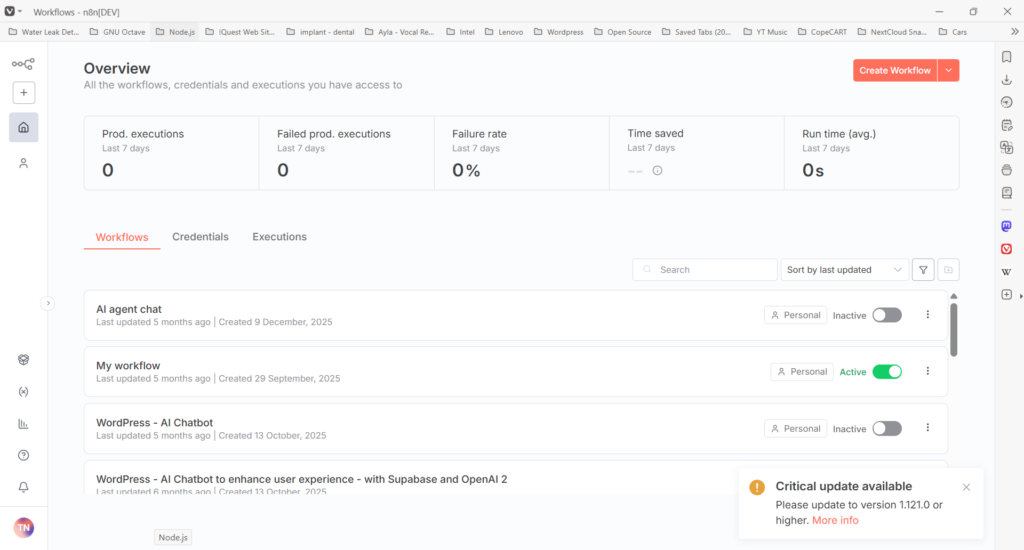
n8n recovered, now update
Now that we’ve recovered the web site… We note that we’re somewhat behind in updates. The latest version is v2.19.5 and we’re still running v1.110.1
Whilst there is an update button, I think we need to do an incremental update.
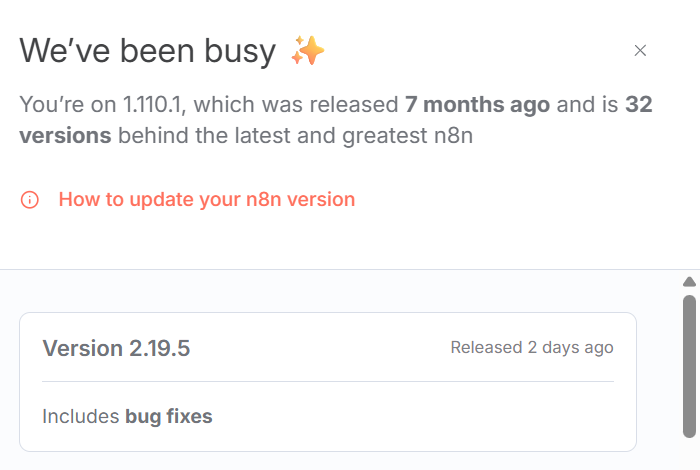
Official update guidelines
So, let’s take a look at the official recommendations.. It seems to have been 7 months since we installed our instance!!! With many updates since.!!
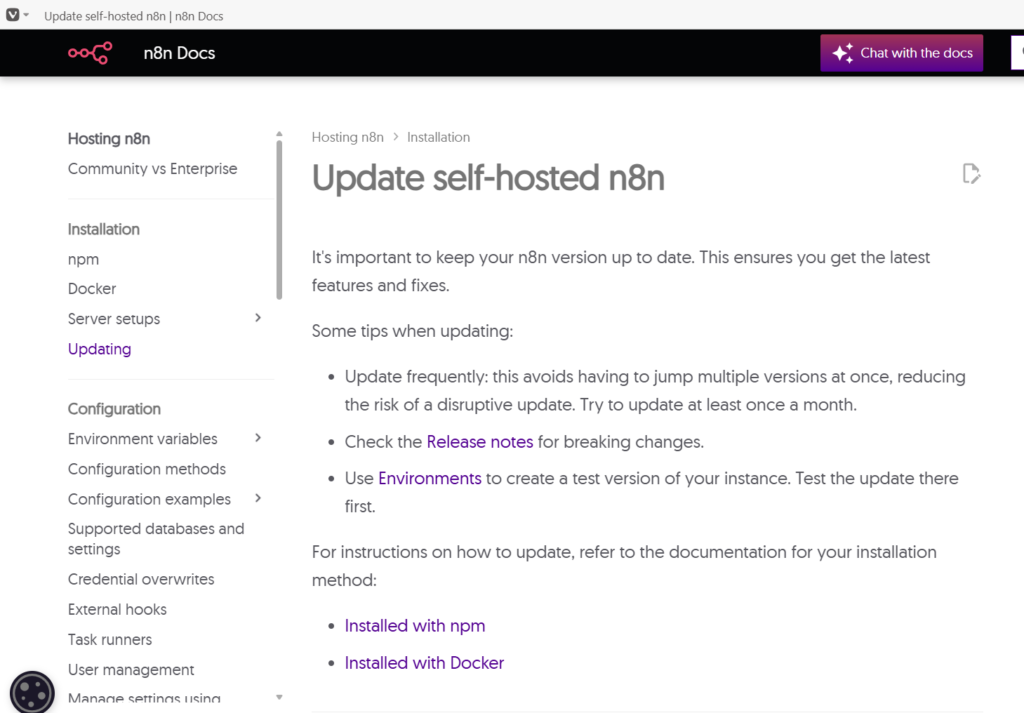
how to update when installed with npm
Our instance was installed npm so we can follow instructions at https://docs.n8n.io/hosting/installation/npm/
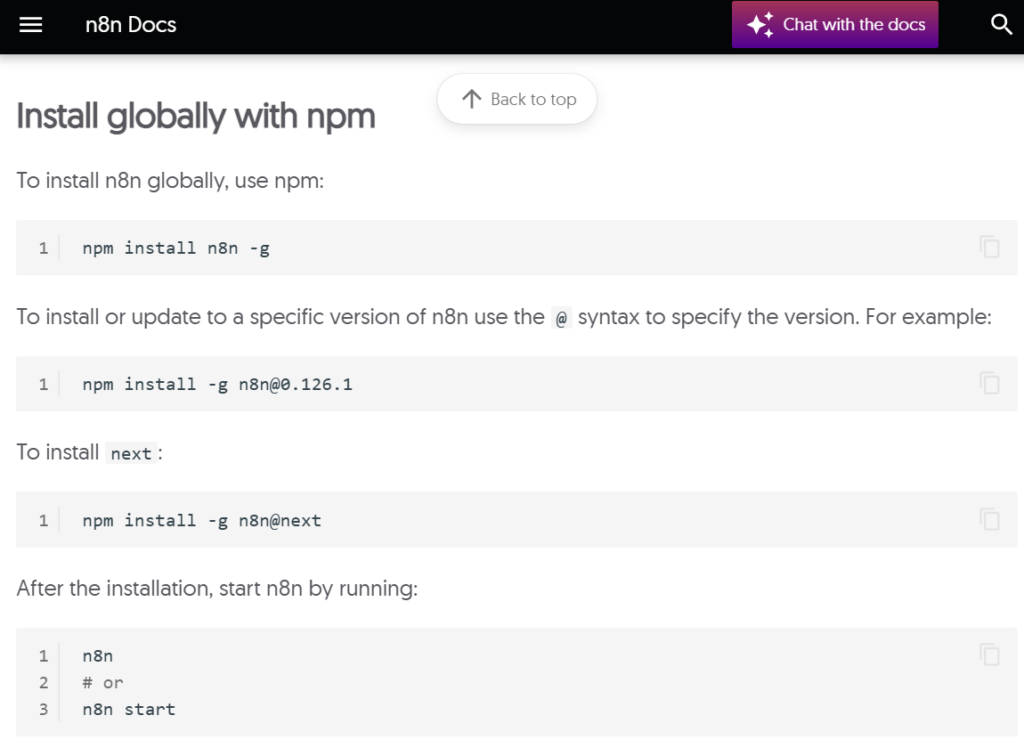
Incremental update
Accordingly, we will go down the incremental update… And loop around this process by checking the n8n landing page Workflows GUI page and repeating it as necessary..
This didn’t work!
Instead I have updated to the latest version and seems to work!
Webhooks – hence AI ChatBot problem
The only on-going problem is that webhooks are not working 🙁
In this update, I see that Webhooks are now nodes. So I added a Webhook-Node to my workflow – but I am not 100% clear if it is connected to my workflow correctly. It is currently isolated and just floating…
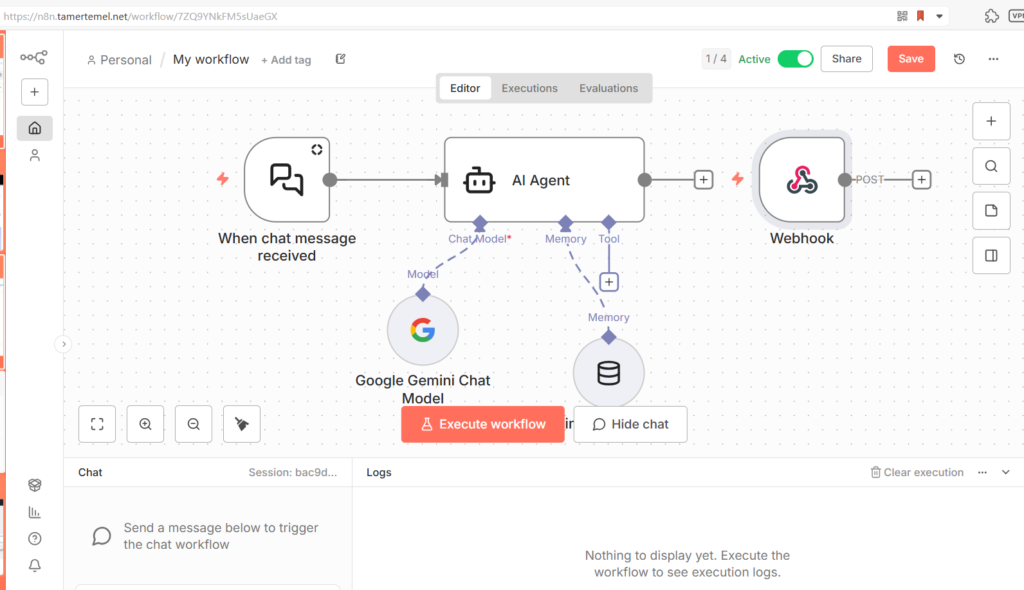
Claude to the rescue
I sought Claude AI’s assistance and that lead to a correction to app.yaml file but that still hasn’t fixed the fact that n8n is generating ‘localhost:5678…….’ webhooks and not proper URLs. By replacing localhost:5678 with tamertemel.net/webhook I managed to get it working BUT… But but but… There is still a problem!!! The guidelines suggest webhook is a POST type as opposed to a GET. And I am baffled by the fact that when I set it to POST in n8n, the result in WordPress is GET is not allowed!!!! #
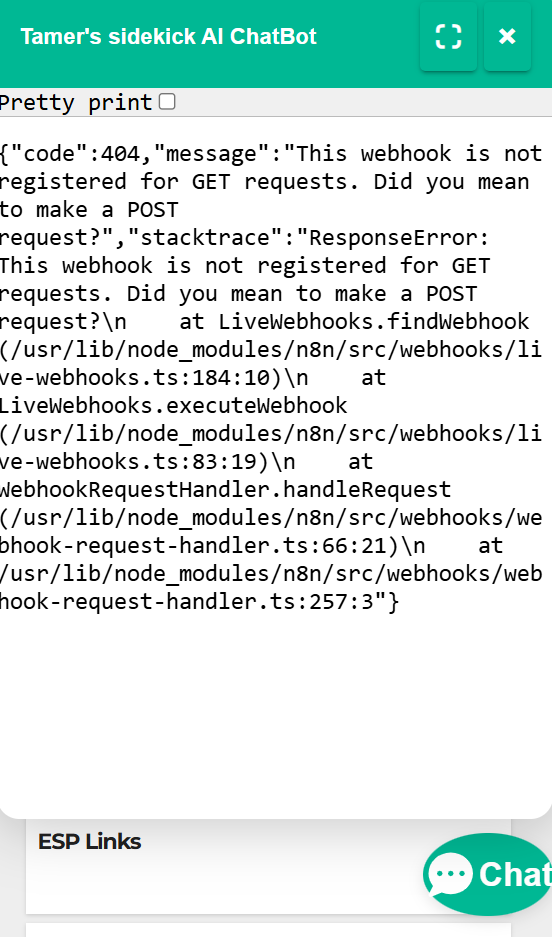
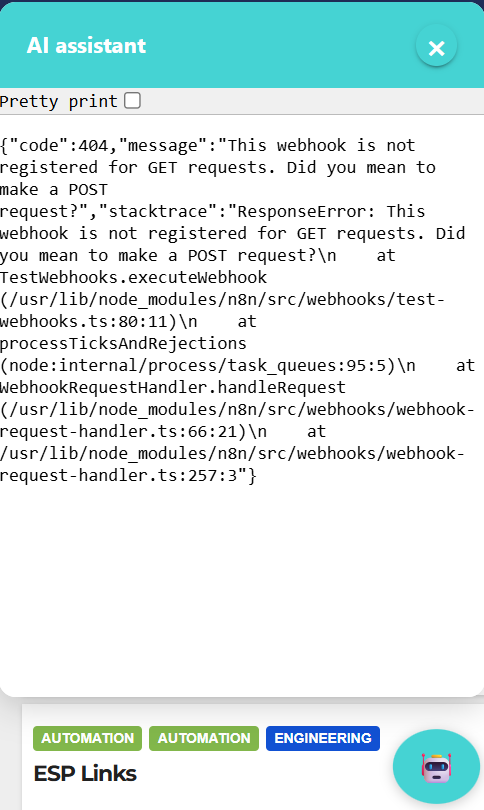
WTF??? I have set it to POST – several times to be sure.
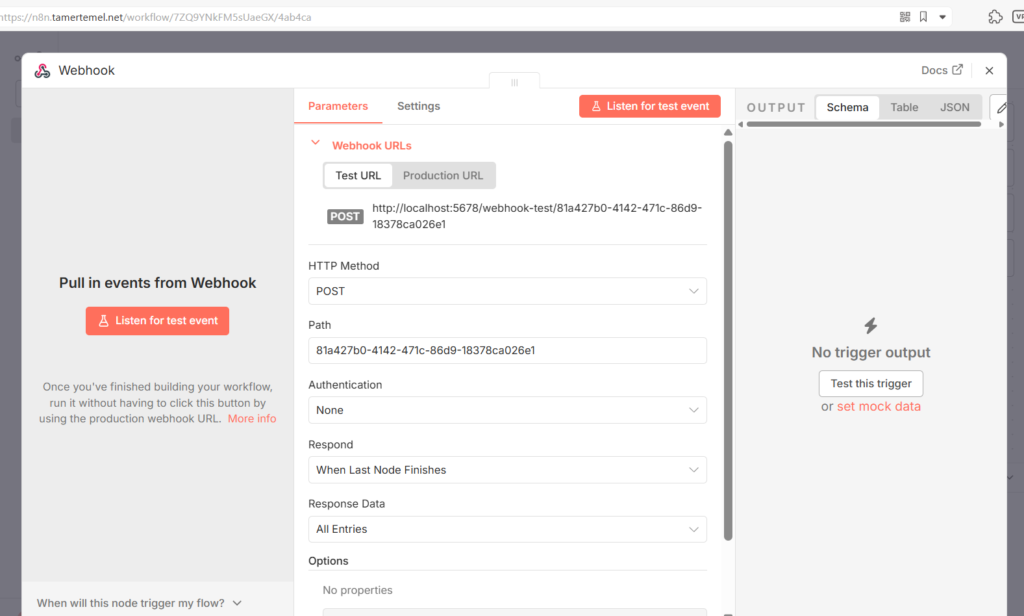
Even more strange is when I DO set it to a GET, it appears to work but only as far as WordPress Chat Widget showing some default header data (seemingly from my n8n but, I can’t type into the widget!!!) Grrr!!..
I am now wondering if the WordPress Chat-gadget is actually making the GET request!!?? or vice versa,,,
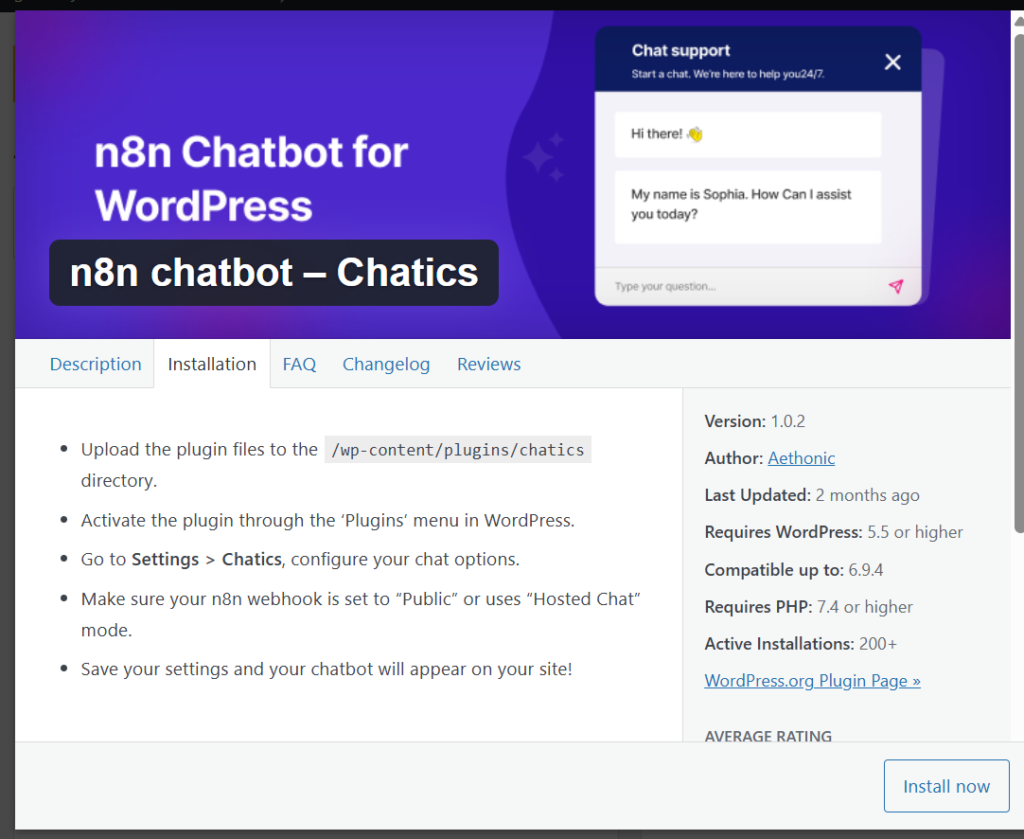
I have since discovered a second n8n Widget Plugin has appeared in WP plugins libraries. I am going to remove the original one and try this new plugin, which has the same title except with an additional ‘Chatics’ word in the title…
We note that when we start n8n from the command line, it locks the terminal up. So we stopped n8n by hitting CTRL-C.
We then despite going through the notions of this update-step and many warnings to the effect of lots of parts no longer being supported.
Following the presumed update, we can see that we’re still on the same version.. So we have restarted npn start n8n
Out CLI locks up again. That’s fine, we use a second PuTTy session to log-in again (parallel login). And We verify by heading over to domain name using web browser.
While it is running we try again, this is like a live-update…
[root@server n8n.tamertemel.net]# npm install -g n8n@next
This took some time and lots of warnings and errors have been reported, as follows… We note that we’re still on the same version. So this isn’t working….
[root@server n8n.tamertemel.net]# npm install -g n8n@12.10.5
npm install -g n8n@next